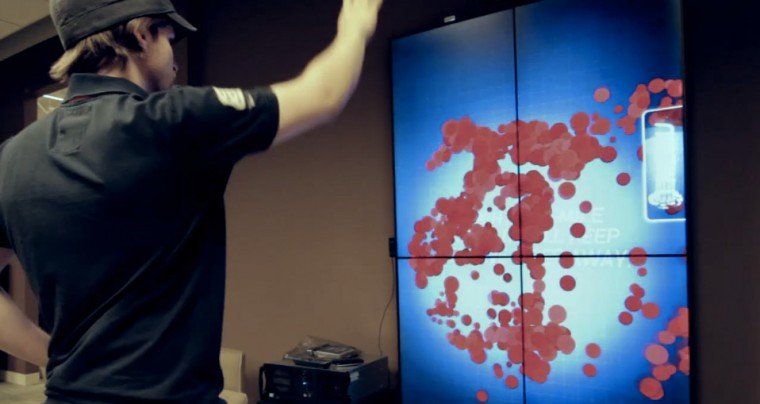
In the spirit of open source I have added the source files for my first go at creating a video mask in flash. The source can be found at the bottom of my post: Inventing Flash Video Masks (Part 2)
As my document class files get larger and larger I tend to have a hard time keeping my place. Especially when I need to jump back and forth between a couple spots. So one trick I just naturally started to evolve was to add my own “bookmarks” into my code.
For example if I am working on a function called “showMessage” and I want to jump between the function and where it is being called I might do this:
[as3]//#
showMessage();
// blah blah blah other code
// 1000 lines later
//#
private function newMessage():void { }
[/as3]
This way I can just search for the # and keep jumping back and forth. If you were really ambitious you could derive a whole system from symbols
# = links
! = currently working on
% = work on later
Not perfect since a lot of symbols will be used by operators, but it felt like a good LifeHacker type of tip. I supposed you could always search for //! to avoid the operators.
I made a few small updates to VisualAdvance.com today. I mainly just added all my 2009 work thus far. I hadn’t realized it was that long since I made an update. This includes pretty much all the work I have done since I have been at Manifest.
Making this update made me realize how badly I need to restructure/redesign my site. You learn so much in a 6 month period of time. It was so hard to not just start patching holes as I was making updates, but I would much rather focus that energy into getting it done right for my next release. If anything these updates pushed me to focus on a new release sooner.
My friend Wenner wanted to do another music video for someone’s birthday. I hadn’t done any video projects in a while, so I was definitely in. We only had about a week to compose the whole thing so the only set plan I had going in was to shoot on pretty much every camera I own, and make something happen with that. I trusted Wenner and his choreographer would take care of the moves, so all I had to do was capture it and make them look even better.
With the help of my motion graphics friend Jay Purugganan, and my Producer girlfriend Cristina, I was able to shoot edit, and “color correct” the whole thing in about 7 hours. This gave Jay about 3-4 days to add the finishing touches to make it that much more impactful.
Anyway, have a look:
I recently finished another piece for an upcoming gallery show. I am calling this one The Generative Wasp Landing. Obviously it is a followup piece to my first one, The Generative Eye.
This time I decided to use a slightly different “brush” by using more of a circular glob shape, and I wanted their motion to be different than the first. I ended up using brownian motion to make the brushes move around the canvas this time. This gave it a much more organic feel than my first piece. I also had them scanning over a texture this time so that they would give the impression of real paint much more than just vector shapes. The entire application was written in Adobe Flash CS3.
The final piece will be on display:
Thursday, July 30, 6-9pm
Demitasse Cafe, 1066 W. Taylor ST. Chicago IL
Here is a video of this piece being generated:
And a few other shots I took while working on this final piece.
The Generative Wasp Landing – Detail Shot:

My original photo I used for this piece:

I have two other methods for creating video masks that I wanted to share. The first one is purely for experimental purposes only because it is a processor hog, and probably wouldn’t be very realistic for actual use (though it is exactly what I was trying to achieve visually).
While thinking about my first attempt I realized that by using threshold to split up the video I was essentially creating a very hard edged mask with no gradation to it at all. This is fine, and as I said, you could always apply a blur filter or drop shadow to the bitmap to help soften up the edge, but it wasn’t truly a gradient video mask.
For the new method I did almost exactly what I did in my last attempt, but instead of using threshold to break the video up, I took the color value of each pixel (getPixel), turned that number into something ranging from 0-255 (the full range alpha has), and then reset each pixel in the bitmap including an alpha value this time (setPixel32). In other words darker pixels from the video were less visible, lighter pixels were more visible. The only problem with this is that it is on a pixel by pixel basis, so every single frame of the video you are reading, processing and rewriting each pixel during the transition.
For anyone who thinks their computer is strong enough: Gradient Video Mask Demo 2 (the first time you will see the ink, then if you click it again you will see a random video of a car being used as the mask.)
For my next attempt…
This sort of goes back to one of the original ideas I was working on, but my friend Jay (a motion graphics artist) helped to revive the concept by suggesting rendering the alpha channel from After Effects and just setting that as a mask. Unfortunately, that alone does not work which is why I had originally veered away from this method. If you set a video player, alpha channel or not, as a mask, flash just sees it as a rectangle the size of the video player. Not good.
Then I started to wonder if it would maintain the alpha channel when writing each frame of the video (with alpha) to a bitmap. Bingo! This is probably the most processor friendly method out of the three, but there is one drawback. You need two videos in order to execute a full transition with this method. You need one video with the ink keyed out for the image you want to disappear, and then you need another copy of that video with the area around the ink keyed out for the stuff you want to come in. This could cause issues if you don’t make sure the videos are synced up before they play.
Either way, this seems like it may be the way to go if you have the option of keying out your videos before you import them. Check it out: Video Mask Demo 3
I remember when I finally learned that you could make gradient masks in flash using code, I was so relieved to finally have, what I think should have been an option from the beginning. Well, recently I started a project where I wanted to do something a bit more interesting than what is built in. It got me to thinking of ways I could combine some of the bitmap effects I have been into, with the same principles behind how gradient masks are made.
The result; Video Masks! It may not be the most efficient, or processor friendly (though it worked much more efficiently than I expected), method to making a mask, but I needed something to fit my vision, and this was my mash-up result.
To give you a quick rundown of how it is done; You run a video like normal, write that to a bitmap in real-time as it runs, then use the bitmap method threshold to split the image up onto two separate bitmaps that you then use as the final mask. What is interesting is that you can also apply drop-shadows or blurs to those bitmaps so you can get a nice separation of depth between the two masks (if you want to really kill your users computer).
In the example I provided you will see it first transition using the ink video (which you will see in the top right), and then once that is done, you can click to see it transition using a random video I shot of a car. Not the greatest video for a transition, but it illustrates how it has the potential to be used with any video.
A little while back I made an attempt at making dust in flash, and I would basically say I failed at it (though I didn’t give myself much time). I thought I would try it again. I am fairly happy with my first test. The hardest part is that you run the risk of it looking like snow if its falling too fast, but I kept its speed up more so you can see it easier.
Each particle is looking at the background and adjusting their opacity based on the surface they are over. So if it is in a dark area they tend to fade out, etc. Note: I claim no rights to the image used in my test. It is a random grab from Flickr.
Demo (click and hold your mouse down to see the particles over black)
I wanted to give a little sneak peak of one of the experimental scripts I came up with. For now I am calling it a bitmap separator. Not sure if that title is appropriate for what is actually going on here. I guess a more appropriate title would be ‘Maker of bitmap layers based on color luminosity of a movieclip’. Not quite the same ring to it.
Either way, this isn’t at all the final product I wanted from it, but some of my tests have been fun and I wanted to post at least one of them to gain some intrigue.
It isn’t often that I repost other people’s posts, but i have to give credit to the ‘Ten Things I Have Learned’ by Milton Glaser. Please go to the original article to read the full thing, but I wanted to pull a few of my favorite quotes that I believe in.
Point 3 talks about avoiding poisonous people. The test is to spend some time with that person.
“If you are more tired then you have been poisoned. If you have more energy you have been nourished. The test is almost infallible and I suggest that you use it for the rest of your life.”
Point 4:
“What professionalism means in most cases is diminishing risks…After all, what is required in our field, more than anything else, is the continuous transgression. Professionalism does not allow for that because transgression has to encompass the possibility of failure and if you are professional your instinct is not to fail, it is to repeat success.“
In point 5 he talks about how absurd the quote “less is more” is. He suggests a new saying “Just enough is more.” I think this statement struck me because of how obvious this statement should be, yet I have never heard it. I guess it has hints of laziness. I am sure a client would never want to hear ‘I did just enough to finish the site’. But to me ‘just enough’ implies perfection. Maybe I am looking at it with optimistic eyes.
On point 8:
“Deeply held beliefs of any kind prevent you from being open to experience, which is why I find all firmly held ideological positions questionable… Of course we must know the difference between scepticism and cynicism because cynicism is as much a restriction of one’s openness to the world as passionate belief is.”
This may seem to be a direct jab at religion, but he goes on to apply it to the design field, and it should be applied to everything you do. To me scepticism is almost its own religion. Or perhaps it is the road some take to find thier own religion. Ironically, the best quote I could find to emphasize my point is a proverb:
“For the waywardness of the naive will kill them, And the complacency of fools will destroy them.” Proverbs 1:32
And lastly, on point 10:
“We can accept certain kinds of misrepresentation, such as fudging about the amount of fat in his hamburger but once a butcher knowingly sells us spoiled meat we go elsewhere. As a designer, do we have less responsibility to our public than a butcher?”
There are plenty of other good tidbits (and even a joke toward the end of 9 that I will be guilty of repeating) throughout the article.
Ten Things I Have Learned by Milton Glaser